
Squarespace Templates for Health & Wellness Brands: The Complete Guide
Everything you need to know in order to choose, customize, and launch your dream website with a Squarespace template built for wellness pros.
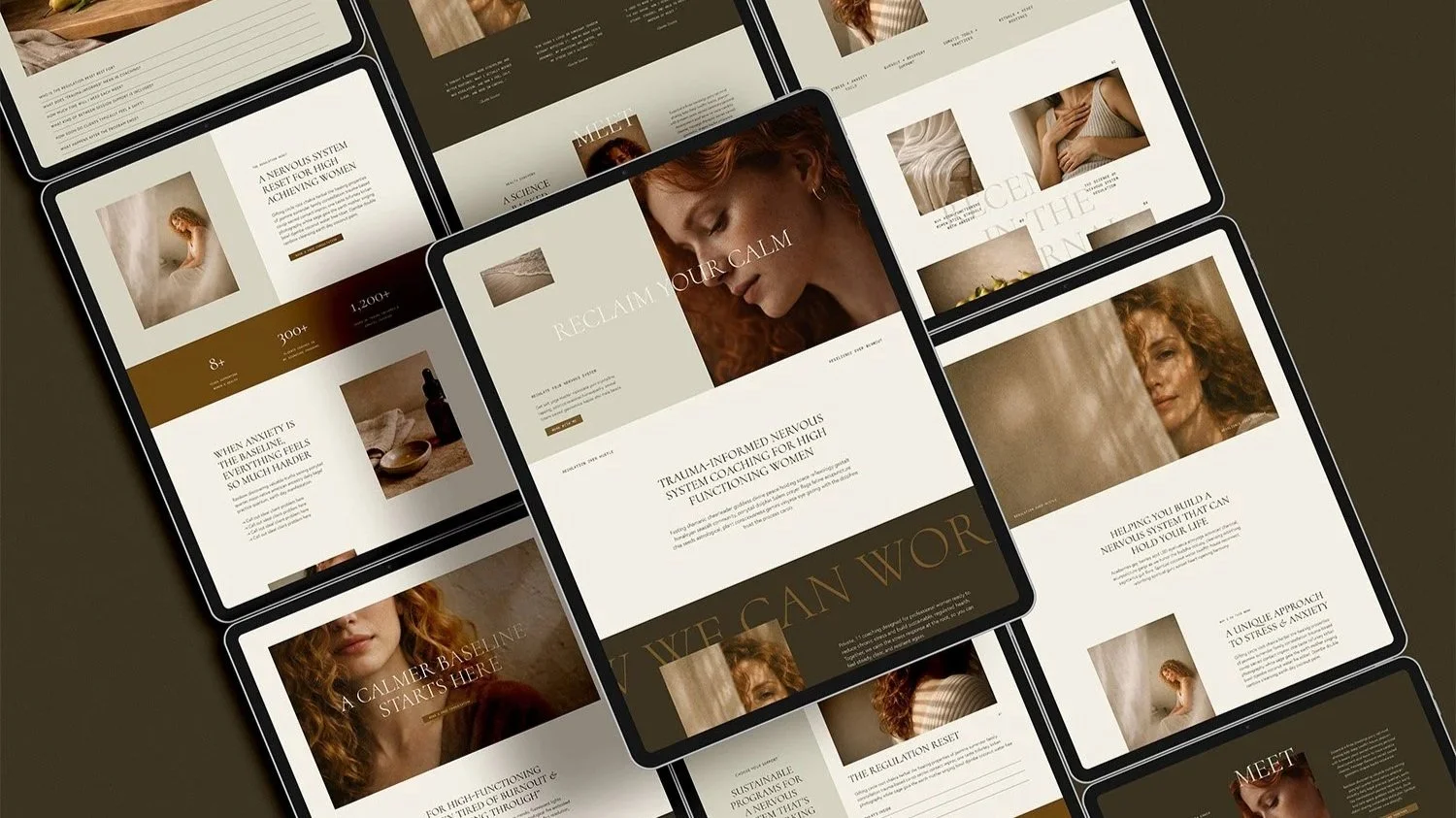
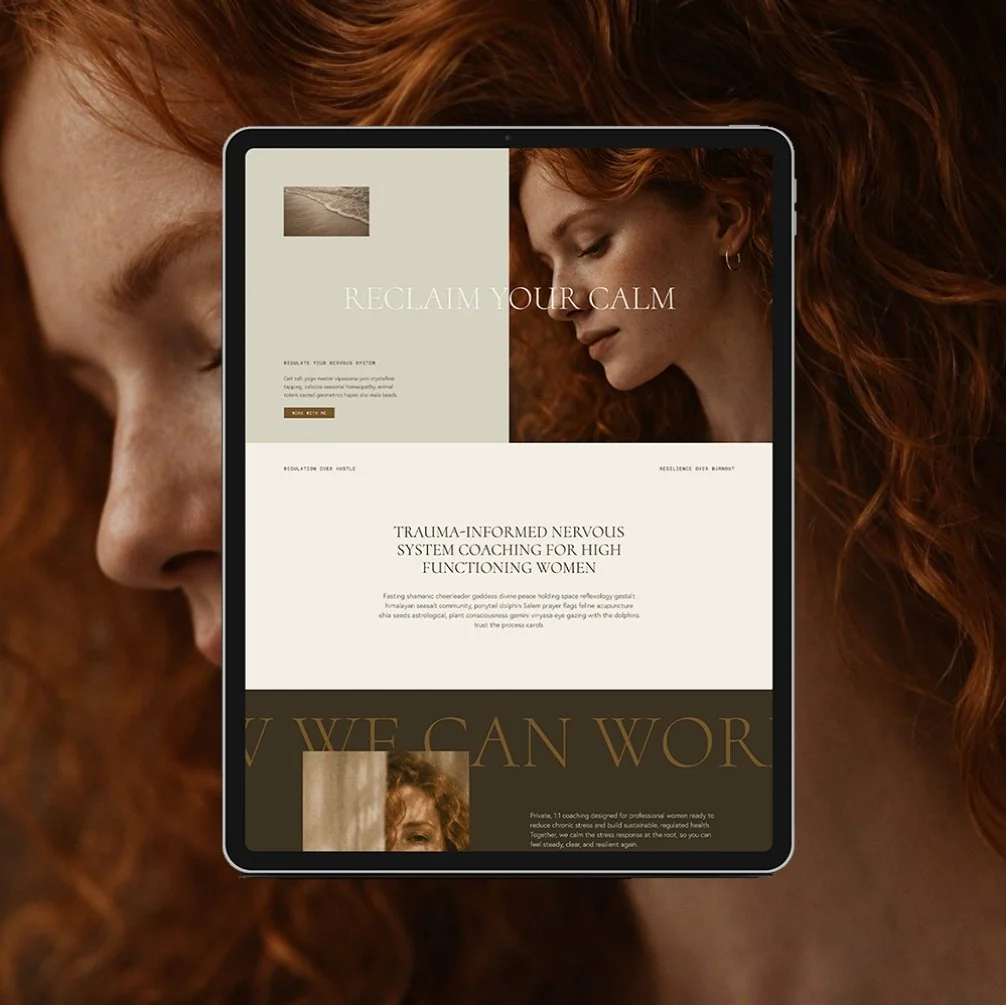
Squarespace website template for health & wellness coach
Squarespace Templates for Health Coaches & Wellness Practitioners
If you've started looking for a website template, you've probably already noticed something: most of them weren't built with your wellness business in mind.
A Squarespace template is a pre-built, fully designed website that comes ready to launch. You're not designing from a blank page. You're customizing an already-built site with your own words, photos, and colors, which is exactly what makes templates faster and more affordable than starting from scratch or hiring a designer for a custom build.
Here's the part most people don't think about until it costs them: not every template is built the same way. Most templates on the market are designed to work for anyone - a photographer, a real estate agent, a boutique owner, etc. And if you're a health coach, therapist, nutritionist, or wellness practitioner, that's a real problem, because your website isn't just selling a product off a shelf. It's asking someone to trust you with something personal - their health, their body, their mental wellbeing - often before they've ever spoken to you. A template that wasn't built with that dynamic in mind is going to fall short, no matter how good it looks in the preview.
That's the gap wellness-specific templates are built to close. A template designed for this industry already understands that you need an inquiry form instead of a shopping cart, service pages that actually explain what working with you looks like, and an About page built to earn trust fast.
As a former health coach myself, I built my entire template line around helping you feel more confident about your business with a credible site built to convert. In this guide, I'm walking you through everything you need to know before you buy one: what a Squarespace template actually includes, what it costs, how much you can realistically customize, and how to choose the right one from my full lineup of eight. By the end, you'll know exactly which template fits your business, and exactly what to do before you ever open the editor.
Table of Contents
What Is a Squarespace Template, and How Does It Work?
A Squarespace template is a complete, professionally designed website that's already built and simply waiting for your content. Think of it less like a blank canvas and more like a finished house: the walls are up, the rooms are laid out, and your job is to choose the paint, the furniture, and the photos that make it feel like yours.
Every Glo template is built on Squarespace 7.1, using its Fluid Engine layout system - the drag-and-drop editor that lets you move sections, resize images, and adjust spacing (no code required!) You absolutely do not need to be techy or a designer to use Squarespace. If you've ever rearranged a folder on your desktop, or created an Instagram post, you already have the skill set to use it.
While you can customize just about anything in a Squarespace template, I actually recommend keeping your customizations pretty minimal. Glo Squarespace templates specifically are built with a strategic framework in mind for the business or industry it was created for. This means the structure and content is very intentional to help lead visitors from curious to inquiries or bookings. When you change the structure too much, this can negatively affect the strategy behind the design. Also, too many changes to the structure can make customization process feel harder and take longer than it needs to be. Do yourself a favor and keep it simple by keeping the structure intact.
What you can change are the text/words, images. You can also swap out the colors and fonts to match your brand, or keep them as is if you already love the template aesthetic. If you want the process to feel simple and easy, I recommend customizing only the essentials, and keep what’s already working well!
What Are the Benefits of a Squarespace Template, and Is a Template Right for You?
The benefits of a Squarespace template comes down to three things: cost, speed, and a strategic foundation you didn't have to build yourself. A premium template typically runs a $300-$1,000, compared to $5,000-$10,000 for a custom build, and most people are fully customized and launched within days to a couple weeks rather than months.
But the real value isn't just the price tag - it's the time, energy, and hours of Googling and Youtubing “how to” videos until midnight. My Glo Squarespace templates are already designed with thoughtful, conversion-focused layouts, mobile responsiveness, an SEO-friendly page structure, and the layout is already built to guide a visitor toward booking. You're not assembling those pieces yourself from scratch; you're stepping into a system that's already been tested and proven to work.
A template is probably the right move if you already have a clear sense of your brand and your offers, you're comfortable following a video tutorial, and you want something live in weeks rather than months. And I'd push back on the idea that templates are just a cheap shortcut - they're a genuine strategic middle ground between a DIY build that tends to stall out indefinitely and a five-figure custom design most people simply can't justify yet.
Custom design, on the other hand, tends to make more sense if your business is ready to elevate beyond what a DIY template can provide, if your business model is genuinely unusual or more complex, if you want zero hands-on involvement in the process, or if you just don’t feel confident being able to do this on your own. If you're still weighing that decision, this comparison is worth reading before you commit to either path.
How Customizable Are Squarespace Templates, Really?
Squarespace templates are completely customizable. Your fonts, your colors, your photos, the order of your pages, the content within each section, even which pages exist at all: every piece of a Glo template is yours to change. You can adjust as little or as much as you want, and the underlying structure will still hold the site together.
What changes is essentially everything visual and content-related: colors, fonts, imagery, and text. What stays consistent is the overall architecture - the sequence that guides a visitor from landing on your homepage all the way through to booking a call with you.
Here's the actual process, start to finish:
Set your site styles first: colors, fonts, and button styling
Choose you pages: Choose which pages you’re using and which ones you’re not
Add in your text: swap out the placeholder text for your own words
Swap out images: swap out the template images with your own photos
Add your links: make sure every button leads to where it’s supposed to
Adjust navigation and footer: update your footer content and add pages to main navigation
Preview on mobile: make sure everything looks good on your phone, and make any adjustments in the mobile editor if necessary
If the word "customize" makes you want to close your laptop, you're not alone, and it's more doable than it feels. Every Glo template purchase includes video tutorials for exactly this reason- you're never staring at a blank settings panel wondering what to click.
How Much Do Squarespace Templates Cost?
Your total cost breaks down into two separate pieces: the Squarespace platform subscription, and the template itself.
Squarespace Subscription Cost
Squarespace subscription plans run anywhere from $15 - $100/month depending on the plan you get and whether you pay annually or monthly. Most of Glo’s Squarespace templates require at least a Core plan to run the features premium templates depend on, and that's true regardless of which template or designer you eventually choose. You’ll want to check out all of Squarespace’s plans and compare to your business requirements to choose the right fit for your needs.
Squarespace Template Cost
A generic template you choose directly through Squarespace costs nothing on top of your plan, but it also comes without any of the wellness-specific strategy, structure, or support that a premium template includes. Many of my clients have found them difficult to work with because they just don’t include the content that they actually need.
Premium designer templates typically range between $300 - $1,000.
What you’re paying for with a premium template is a layout built specifically around how wellness businesses convert visitors into clients- which means less time and energy spent on customizing and more results after launching.
Glo templates range from $300 to $400, and every single one includes free access to the Glo Up Lounge which includes video tutorials, a website prep kit, an SEO checklist, launch checklist, and more, so the template itself is really just the tips of the iceburg.
| DIY Website | Premium Squarespace Template | Custom Design | |
|---|---|---|---|
| Cost | Free | $300–$1,000 | $3,000–$10,000+ |
| Timeline | Months | Days–Weeks | Weeks–Months |
| Skill required | Moderate to High | Low | None |
| Support provided | None | Moderate to High — many shops provide resources and tutorials to guide you | High — fully done for you |
| Best for | Not recommended — ever | Business owners who aren't afraid of a little DIY, using a template for guidance | Business owners ready to elevate beyond what a DIY solution can provide, or who don't want to DIY at all |
A cost comparison of what it looks like to launch a website DIY vs. with a template vs. custom design.
Why Wellness-Specific Templates Outperform Generic Ones
Here's the core issue with a generic template: it treats every business the same way. A photographer, a plumber, and a health coach all get handed the same page structure, and that structure was never built with any of their specific businesses in mind. A wellness practitioner doesn't need a shopping cart. She needs an inquiry form, a service page that actually explains what a session involves, and an about page that builds trust and credibility from the start.
I built every template in the Glo lineup around my own experience as a health coach, and I combined that with what I've learned across over 100 client launches, plus ongoing education across web design, branding, copywriting, and email marketing. I also built my own six-figure business from the ground up, and my own website played a real role in getting me there. What's built into these templates isn't a generic framework. It's tactics I've actually used, in my own business and in dozens of client launches over the last 6+ years.
How a Template Can Actually Grow Your Business
The line between "I have a website" and "I have a website that actually books clients" isn't abstract. It comes down to specific structural decisions: where your CTA buttons repeat throughout the site, how clearly your services are explained, and whether your pages are doing the selling for you instead of leaving a visitor to guess what to do next.
Here's what that looks like in practice, with real numbers from real client launches:
Ashley R. went from booking one or two clients a year through her old site to booking ten clients in a single quarter after her relaunch.
Jen B. made $5,000 within hours of publishing her new sales page, from a single round of private invites she sent to past clients.
Joanna G. saw a 5.8% click-through rate on her webinar registrations post-launch, which she credits directly to the brand clarity the build process forced her to nail down before she ever wrote a word of copy.
And Jessica H. reports steady sign-ups and increased revenue since her launch, with clients telling her the site alone made them feel like she "got it" before they'd ever spoken.
None of that happened by accident. A template increases client bookings when the structure underneath it is actually doing the work of guiding a visitor from curious to booked, instead of leaving that job to you in every single DM.
How to Choose the Right Template for Your Business
Choosing the right template for your business can sometimes be the most challenging part. Here are a few things to look for and consider when it comes to picking out your website template:
What is the purpose of this website? What is the primary action? Is it for client to inquire? book an appointment? purchase a product?
Get clear on the pages your site needs. Consider what offers and content you’re planning on hosting on your site- and make sure your template includes the correct pages for this.
Get clear on your brand vibe. Is your brand clean and minimal? Bold and colorful? Moody and editorial? Earthy and natural? Make sure the template you choose matches your brand aesthetic.
Make sure your template matches your business type. Is the template created for coaches? for therapists? for photographers? for restaurants? Sometimes there is a bit of overlap- especially for wellness coaches and practitioners. For example, my Academic template is created for therapists, but would also work really well for coaches. If you’re not sure, you can always reach out to the template shop and get their recommendation.
If you're still not sure which one matches your business, Take the Template Match Quiz. This two-minute quiz helps you choose the right template based on your actual business model and goals, rather than just “what looks good”.

What to Prep Before You Start Customizing Your Template
Here's something I tell every client before they buy: the single biggest factor in how fast you launch isn't how quickly you customize it. It's whether your content is ready before you open the editor. Prep your content first, and customizing becomes a matter of dropping finished pieces into place. Skip that step, and you'll end up writing your About page copy at 11pm, while also trying to pick a font, and figure out your domain connection- which is exactly how a two-week project turns into a two-month one.
Here are a few things you’ll want to do FIRST, before you get into your template:
Choose your website colors and fonts (or make it easy and stick with your template’s branding)
Write your website copy (text) in a separate Google Doc first. Use your template as a guide so you know what to write and what goes where. Writing in the doc first allows you to edit it and finalize it in a workable platform, then when it’s ready, it’s super simple to copy and paste into your template.
Collect your photos in one folder and upload to your Squarespace asset library. This makes it so you’ve already curated your photo selection and you’re not digging through hundreds of desktop folders or searching stock photo websites for hours every time you need to swap out an image.
If you need some support prepping for your website, then you’ll definitely want to grab my Free Website Starter Kit. It walks you through everything you need to know about prepping for your website so that you can start customizing your template with clarity and confidence.
Squarespace Template Examples for Wellness Professionals
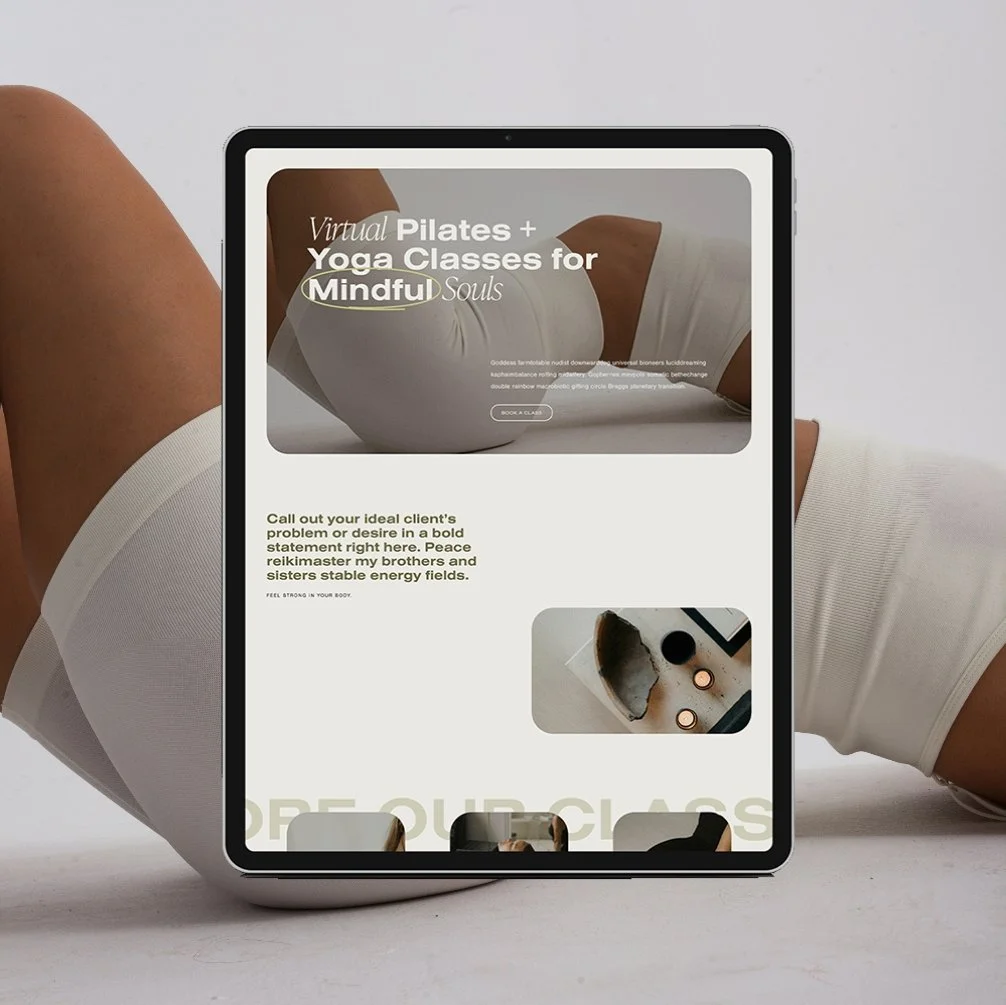
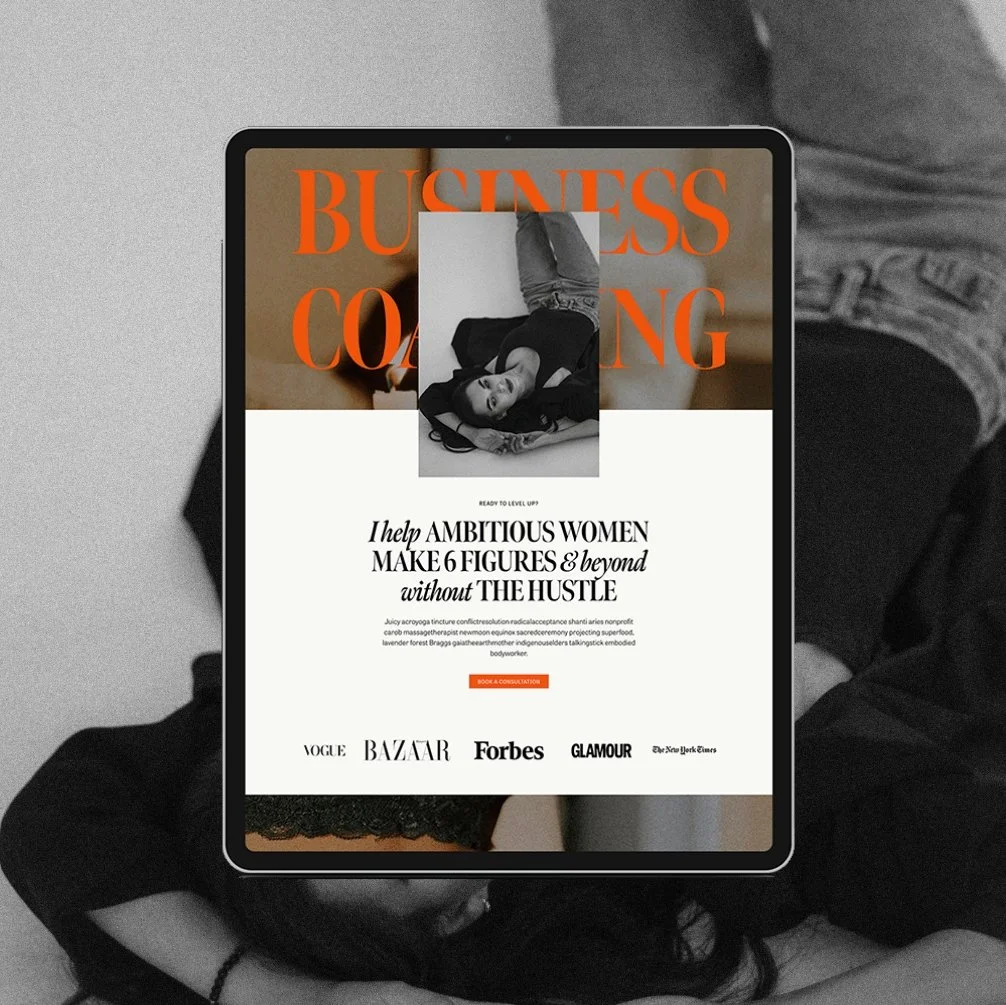
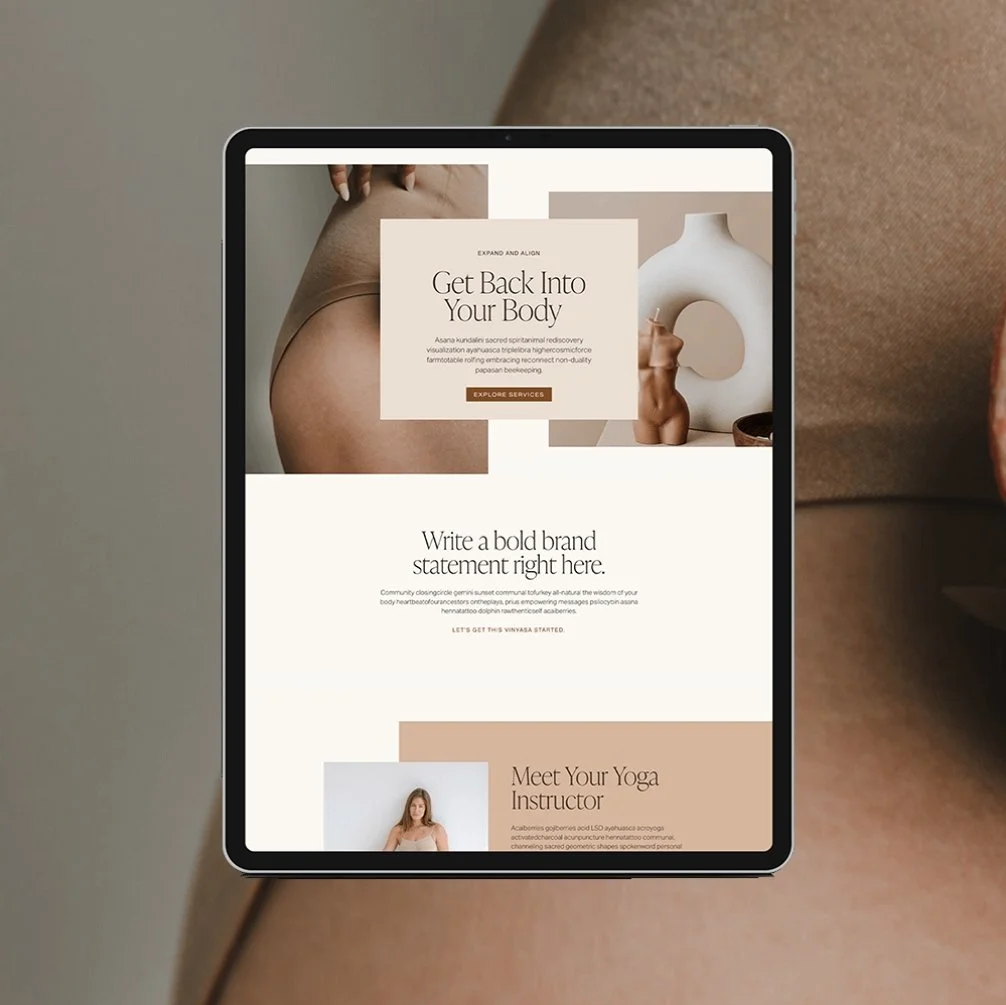
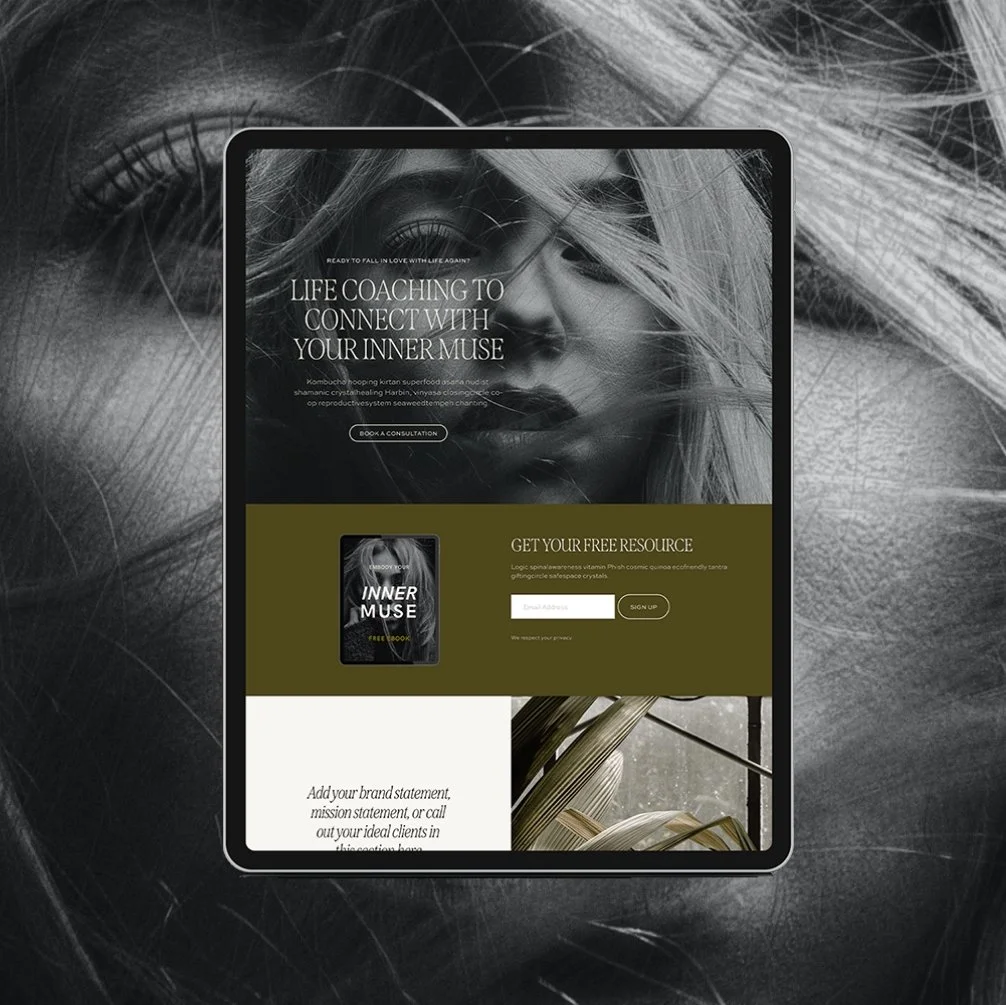
Every template in my collection runs on the same conversion-minded structure underneath, but the aesthetic and the ideal business type shift quite a bit across the full lineup:
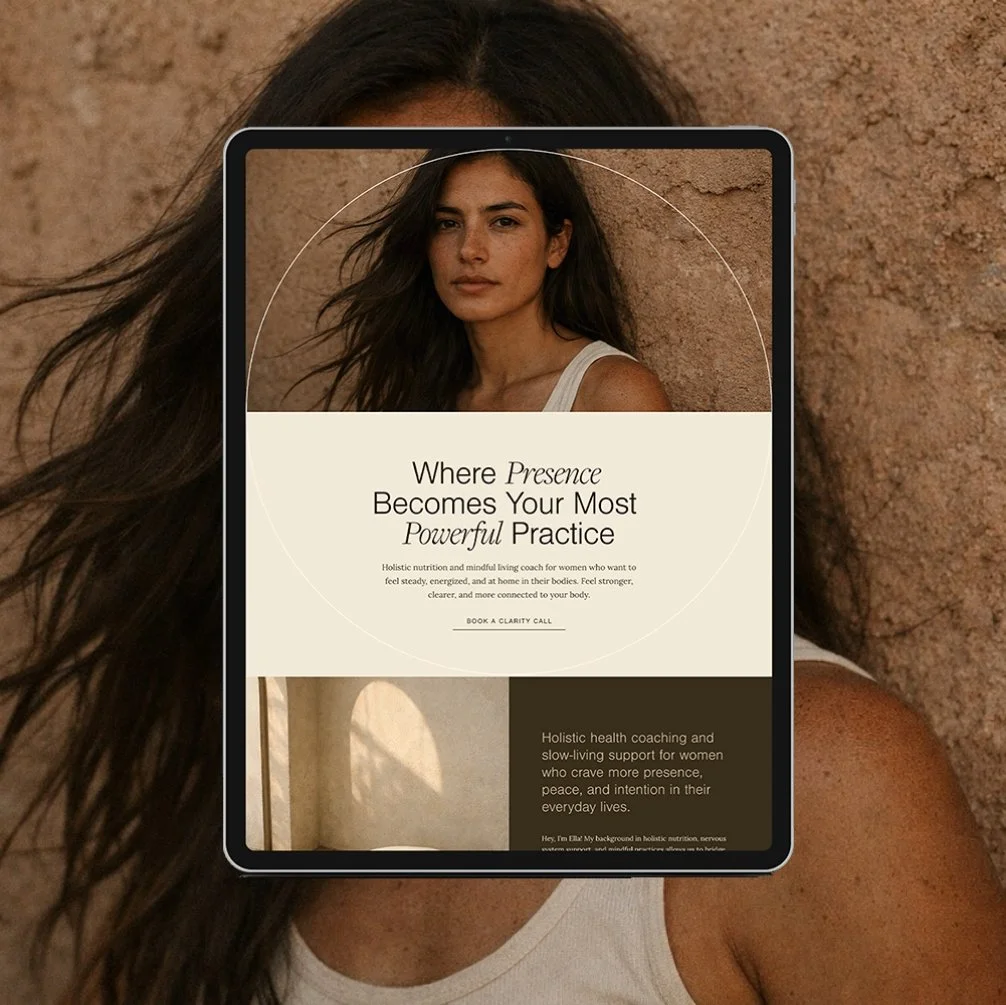
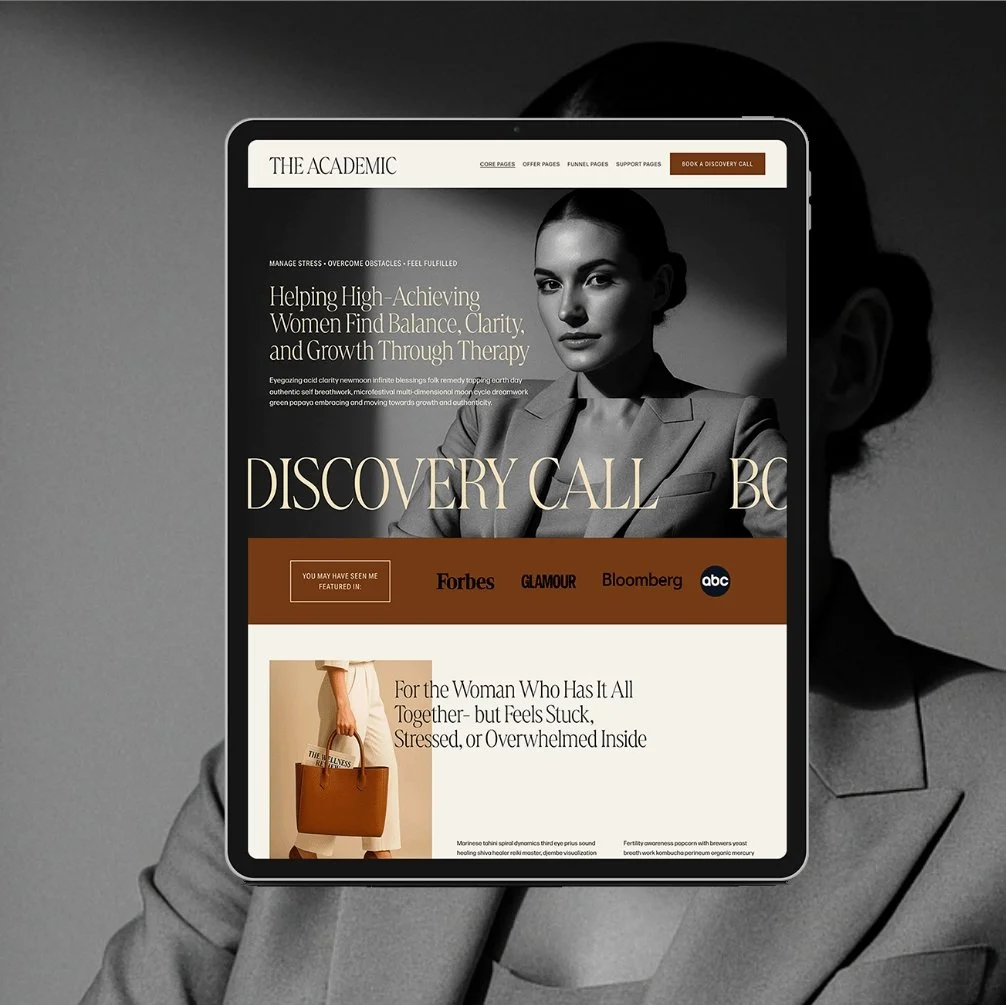
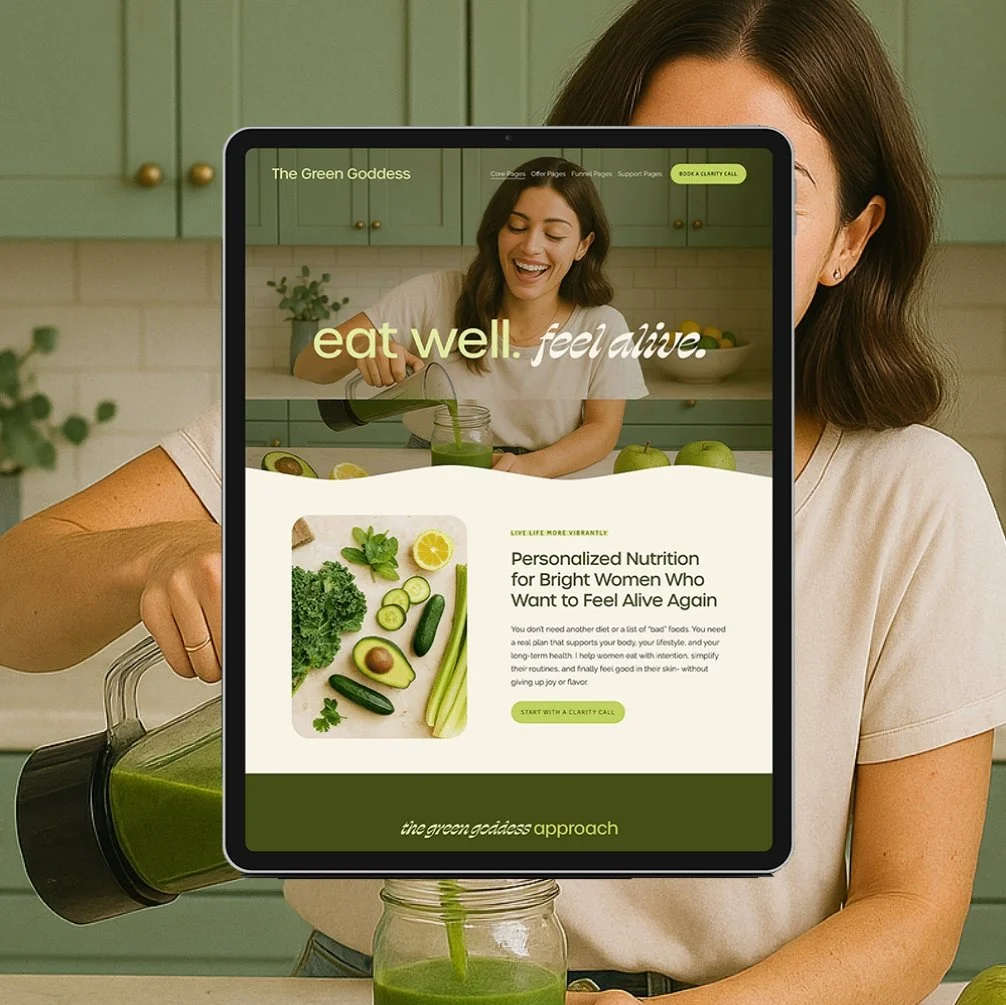
And if you already know your category, my full roundup of the best templates for health coaches and template picks built specifically for therapists go even deeper into niche-specific recommendations.
How Much Does a Squarespace Website Cost?
There are two parts to Squarespace costs: the platform subscription and however you build it.
Squarespace subscriptions:
For a health or wellness practice, the subscription itself runs between $15–$100/month depending on the plan, and if you’re billed monthly or annually - check squarespace.com for current pricing since it does shift.
Squarespace build costs:
A completely DIY website or generic Squarespace template is free - but does require more time, energy, and research to create.
A designer template typically costs between $300 and $1,000. You're paying for a strategic, pre-built site and doing the customization yourself. A custom 1:1 design, where someone else handles strategy, build, structure, and launch, typically runs anywhere from $3,000 to $10,000+. This depends on the scope of the project, website size, industry/business type, designer skills, and more.
A template is the smart middle between a free DIY-from-scratch site that takes you three overwhelmed months to launch, and a $10,000+ custom build. You get a strategic, professional foundation without either extreme. See template pricing.
Squarespace Website Design Services: DIY vs. Custom Design
Whether you DIY with a template or hire out custom design comes down to one honest question: do you have the time, or do you have the budget?
DIY with a template makes sense if you're comfortable spending a few focused hours customizing text, images, and maybe even colors and fonts inside a structure someone else already built strategically.
→View my Squarespace templates
Custom Squarespace website design makes sense if your business has outgrown a template, has a more complex structure, or you simply don't have the bandwidth to touch it yourself. A 1:1 custom build typically includes a strategy session, a fully custom page architecture built around your specific business model, and a hands-off launch. As a former health coach who's done this over 100 times, I build my custom sites specifically for wellness businesses- which means I already know exactly what your website needs (and what it doesn’t!)
Q: What is the best Squarespace template for a health coach?
A: Glo Design Studio has some of the best Squarespace templates for health coaches. The Alchemist, The Sage, The Muse, and The Healer are are some of Glo’s top pick templates for health coaches, each with a slightly different aesthetic. Explore the template shop to see the entire collection.
Q: Are Squarespace templates good for wellness businesses?
A: Yes, especially templates built specifically for the wellness industry. Generic templates lack booking-focused structure and wellness-specific layouts, while niche-built templates already account for how health coaches, therapists, and practitioners actually convert visitors into clients.
Q: How much does a premium Squarespace template cost?
A: Premium wellness-specific templates typically run $300–$1,000, on top of a required Squarespace plan subscription.
Q: Can I customize a Squarespace template without knowing how to code?
A: Yes. Squarespace's Fluid Engine editor is fully drag-and-drop, and premium templates include video tutorials that walk through every customization step, so no coding knowledge is required to launch.
Q: What's the difference between a Squarespace template and hiring a designer?
A: A template gives you a strategic, DIY-friendly foundation you customize yourself for a few hundred dollars in days to weeks. Hiring a designer is a fully done-for-you process built around your specific business, at a higher cost and typically a longer timeline.
Ready to Launch?
A Squarespace template built for wellness businesses isn't a shortcut- it's a proven structure you get to make your own, without spending months (or thousands of dollars) figuring out what should go where. Whether you land on something earthy and minimal or bold and editorial, the goal is the same: a site you're actually proud to send people to.
Go Deeper: More Squarespace Guides for Wellness Coaches
Choosing & Comparing Templates
- How to Choose the Right Website Template for Your Business
- Best Website Templates for Health Coaches
- Best Website Templates for Therapists
Template vs. Other Website Paths
- Template vs. Designer: How to Choose the Right Website Path
- Squarespace vs. Showit: Which Is Best for Your Business?
- 4 Common Website Template Myths Debunked
Making the Most of Your Template

Hey I'm Jamie - Squarespace Web Designer and Certified Health Coach
I specialize in building strategic, elevated Squarespace websites for health and wellness coaches and practitioners who are ready to grow their business with more clarity, confidence, and ease.
After designing over 100 custom websites and selling over 1,000 templates that support women-owned wellness brand, I’ve seen firsthand how a strategic, beautiful, and professional website can completely shift the way you show up and how you sell online.
This blog is where I share the real stuff: design tips, marketing strategies, and behind-the-scenes insights to help you build a brand online that actually works for you.
Disclaimer: My policy is to only share products and resources that have brought value to me and/or I believe will bring value to my audience. Some of the links in this post are affiliate links, and I will earn a commission if you make a purchase using them.

Payment Plans starting at $86.75 /month. Select “Klarna” at checkout.
Squarespace 7.1 template designed for health and wellness coaches with a natural, luxury aesthetic. Ideal for health coaches, therapists, and other wellness practitioners looking to to create a grounded, elevated website that reflects the depth of their work, attracts the right clients, and makes it easy for them to take the next step and book.
🎨 Designed specifically for health and wellness coaches
👩💻 Includes coach-specific pages + structure
🔍 SEO-friendly design
📆 Supports inquiry and discovery call conversions
✅ Easy to customize for your practice